
Setting Up Pin Payments
Required Credentials
Secret Key
Publishable Key
Camper BMS provides technical integration only. Your Pin Payments merchant account must be active before payments will function.
Pin Payments or your acquiring bank may require you to complete PCI DSS compliance requirements.
Camper BMS does not provide PCI certification or compliance assessments.
Camper BMS does not store, process, or transmit full payment card details.
You can learn more about what security controls Camper BMS has in place here.
Finding Your Credentials
Log in to your Pin Payments Dashboard.
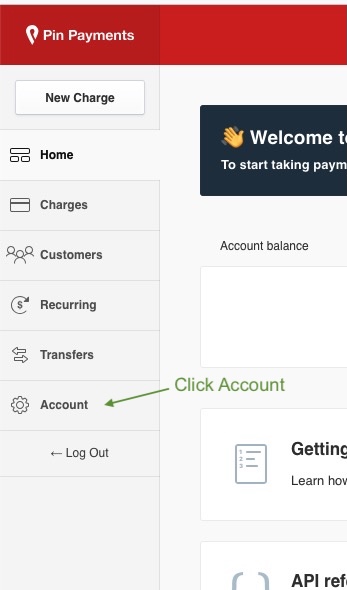
Click Account at the bottom of the sidebar.
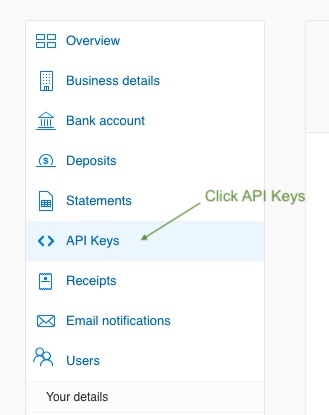
Click API Keys.
Use the Copy button beside the Secret key and the Publishable key to copy each one.
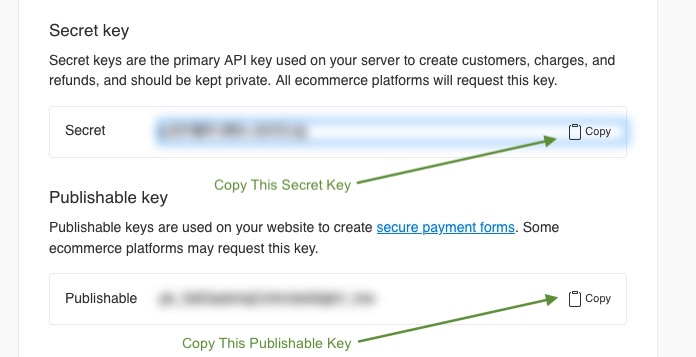
Use the Live keys for production. Test keys are used automatically in non-production environments.
Entering Credentials in Camper BMS
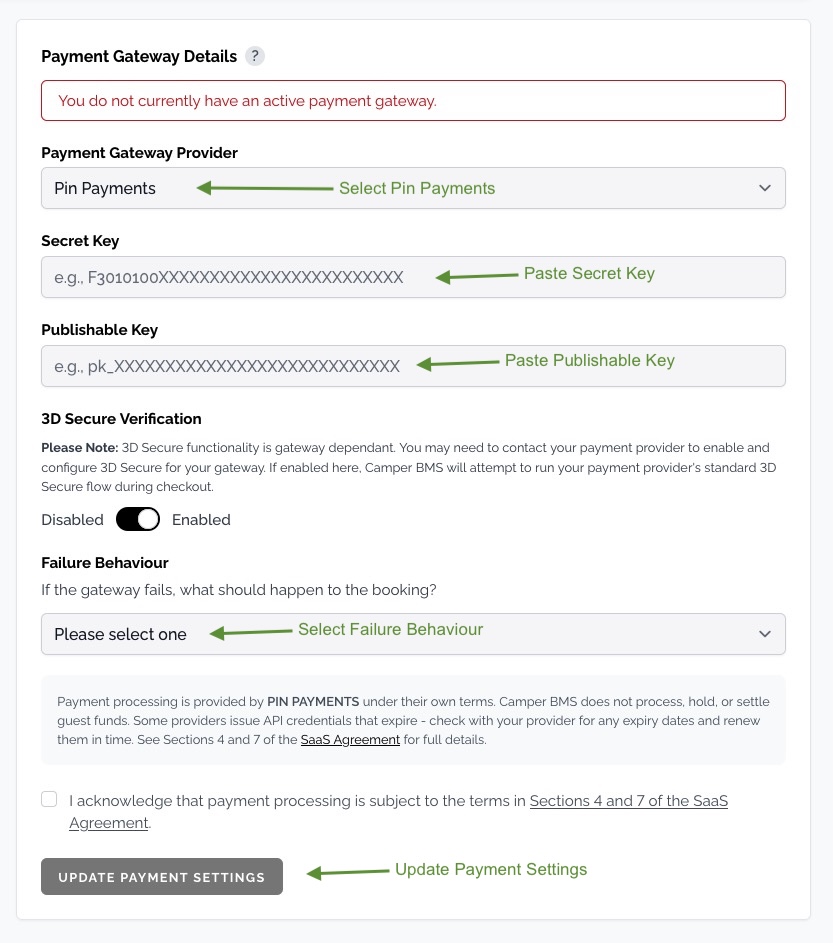
Navigate to Settings > Payments & Invoicing > Payment Gateway.
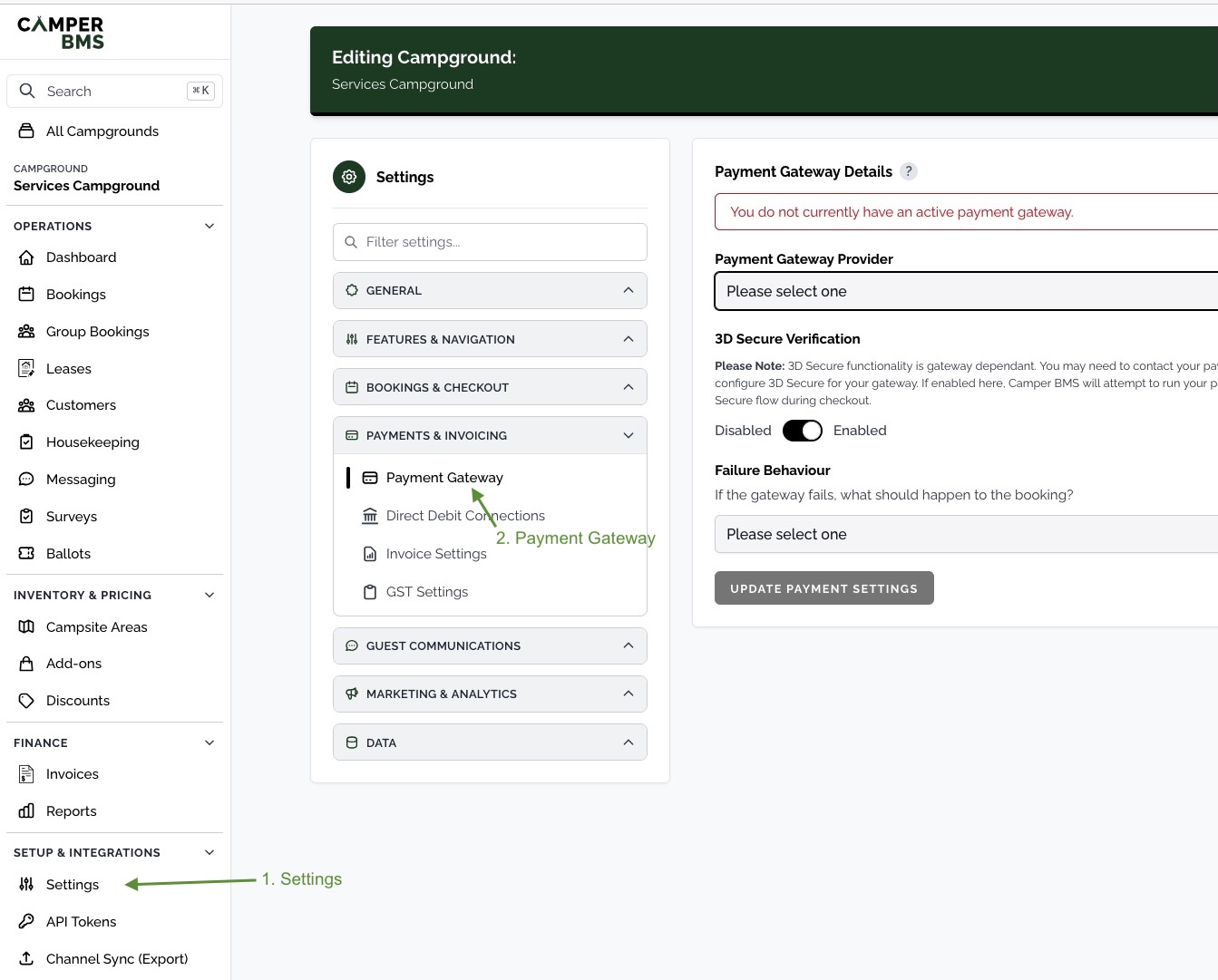
Select Pin Payments from the Payment Gateway Provider drop-down.
Paste your Secret Key and Publishable Key into the corresponding fields.
Optionally enable 3D Secure Verification. This is gateway dependent - you may need to contact Pin Payments to have 3D Secure enabled on your account before turning it on here.
Choose a Failure Behaviour - this controls what happens to a booking if the gateway declines or fails the payment.
Tick the acknowledgement to accept the payment processing terms, then click Update Payment Settings.
Once your details are saved, Camper BMS adds a webhook endpoint to your Pin Payments account, listed under Webhooks in your Pin Payments dashboard. It tells Camper BMS when a payment succeeds, so a booking or invoice is marked paid even if the guest closes the page during 3D Secure. Leave this endpoint in place.
Keep your API credentials secure. Anyone with access to your API credentials may be able to process payments through your merchant account.
Related articles
Still need a hand?
Our support team is happy to help.
Contact support