
Setting Up Square
Square connects via OAuth - no manual credentials are needed.
Camper BMS provides technical integration only. Your Square account must be active before payments will function.
Square or your acquiring bank may require you to complete PCI DSS compliance requirements.
Camper BMS does not provide PCI certification or compliance assessments.
Camper BMS does not store, process, or transmit full payment card details.
You can learn more about what security controls Camper BMS has in place here.
Steps
Navigate to Settings > Payments & Invoicing > Payment Gateway.
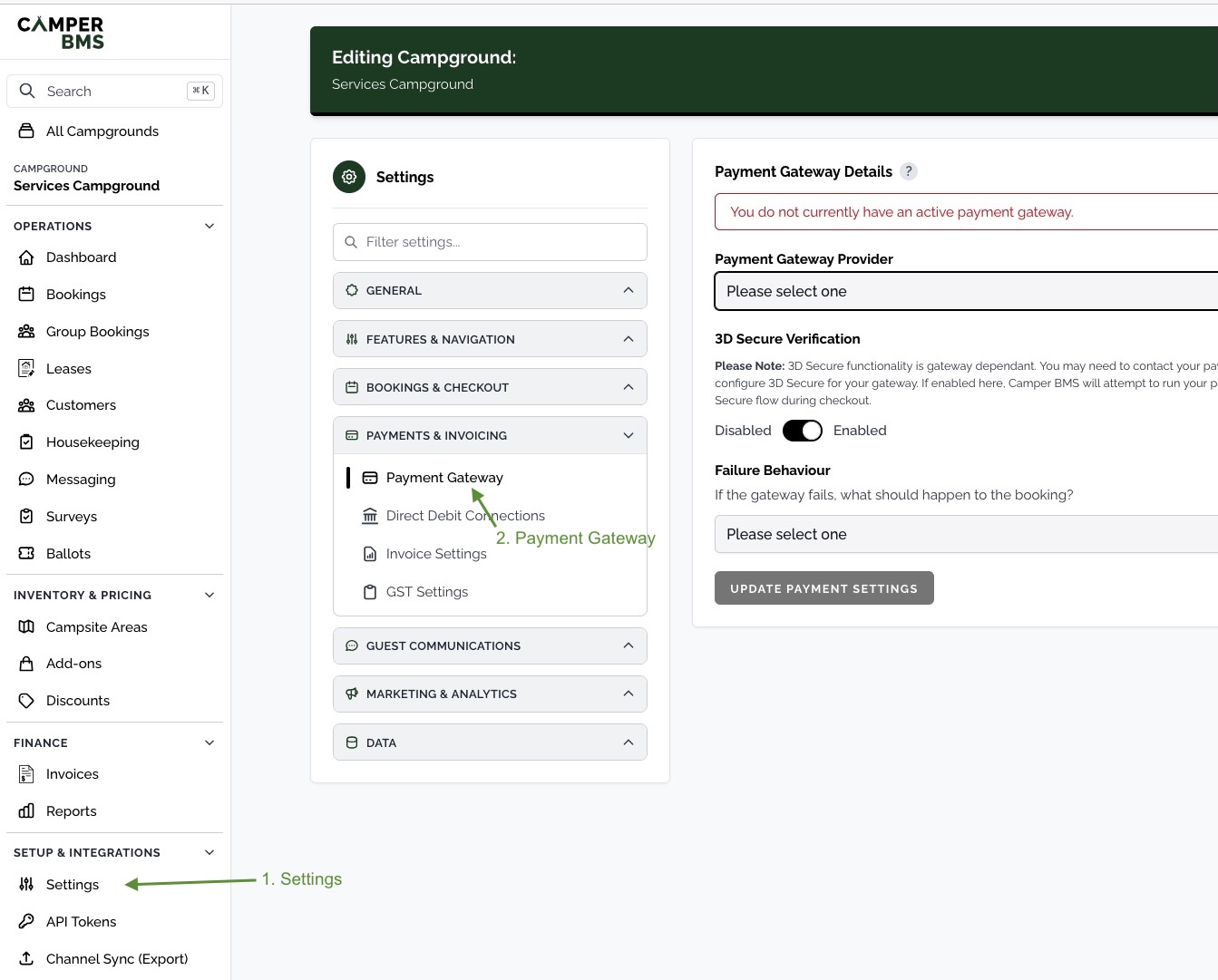
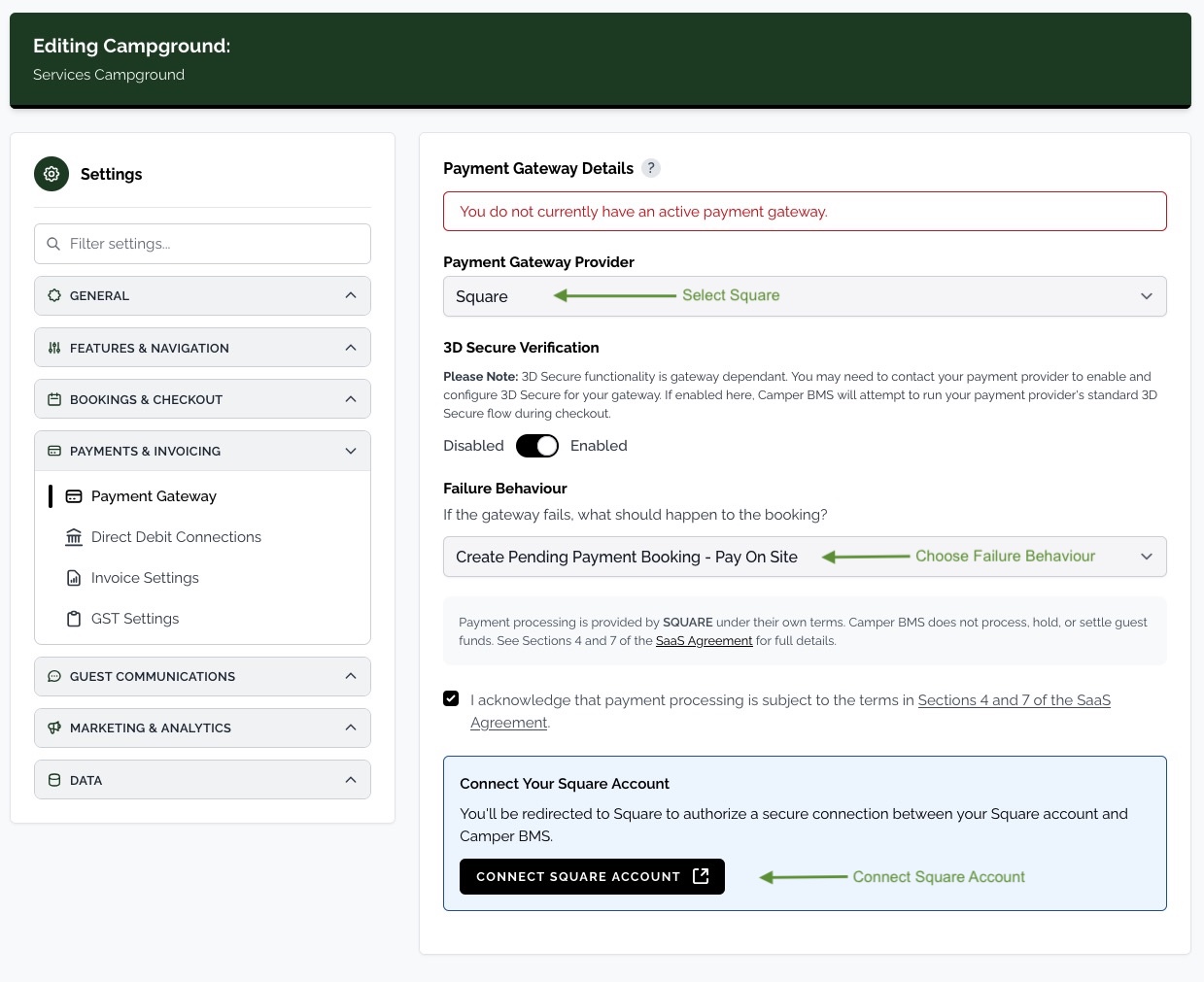
Select Square from the Payment Gateway Provider drop-down.
Choose a Failure Behaviour - this controls what happens to a booking if the gateway declines or fails the payment.
Tick the acknowledgement to accept the payment processing terms, then click Connect Square Account.
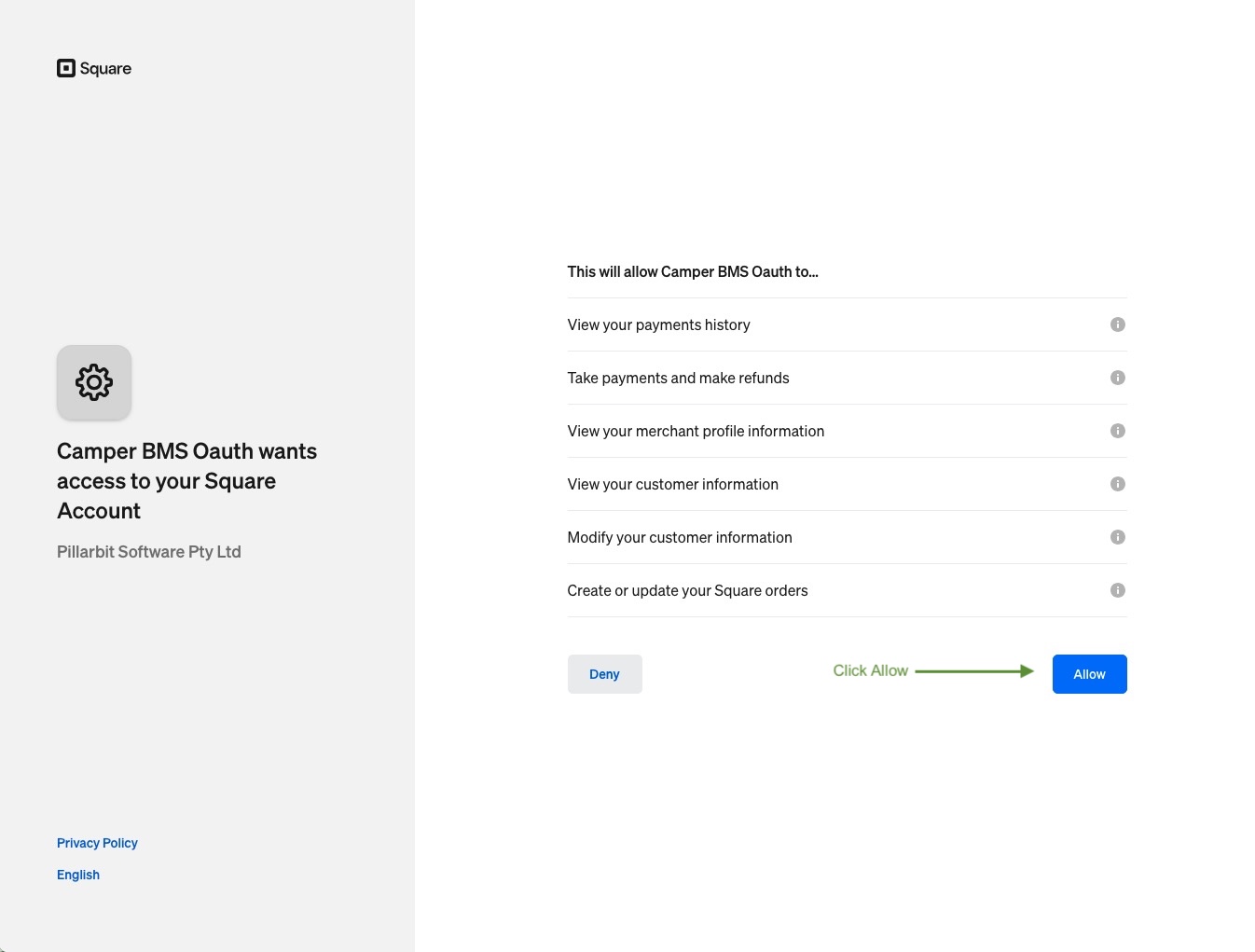
You will be redirected to Square to authorize the connection. Sign in to your Square account, review the access Camper BMS is requesting, and click Allow.
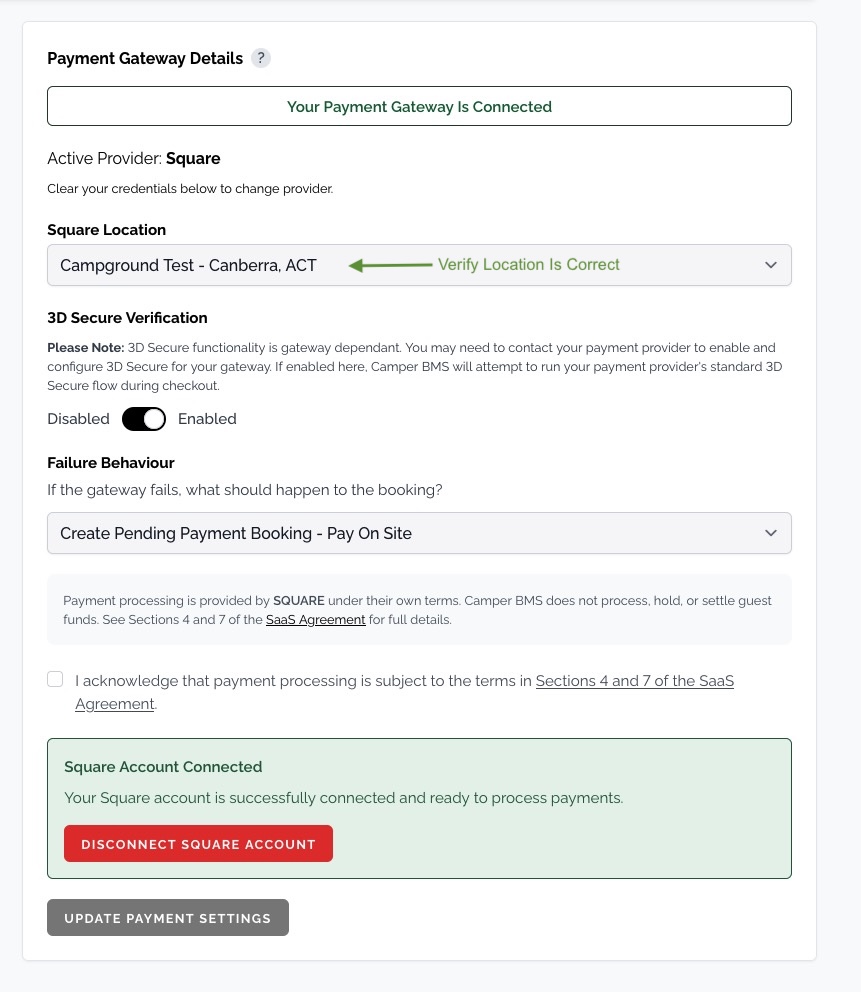
After returning to Camper BMS, check that the Square Location shown is the one you want to process payments through, and change it if not.
Click Update Payment Settings.
Finding Your Square Location
If you have multiple Square locations, choose the one that corresponds to your campground. You can manage locations in the Square Dashboard under Account & Settings > Locations.
Apple Pay and Google Pay
Guests can pay with Apple Pay or Google Pay through your Square account. The buttons appear above the card form on your booking checkout and on online invoice payment pages.
Apple Pay shows to guests using Safari on an iPhone, iPad or Mac with a card in Apple Wallet.
Google Pay shows to guests using Chrome or an Android phone with a saved card.
In the booking widget embedded on your own website, guests pay by card.
Turning Them On
Navigate to Settings > Payments & Invoicing > Payment Gateway.
Under Wallet payments, switch Apple Pay and Google Pay on or off.
When you switch Apple Pay on, Camper BMS registers each of your booking site addresses with Square. Each address is listed with its status:
Active - Apple Pay shows on this address.
Not active - Square could not register this address. The reason is shown underneath.
Not set up yet - This address has not been registered yet.
Google Pay needs no address registration and is available as soon as it is switched on.
If you connect a custom booking domain later, it is registered with Square for Apple Pay automatically once it goes live.
Fixing an Address That Is Not Active
Fix the reason shown, then click Try again. The most common reasons are:
This domain is not reachable on the internet, so Square cannot check it. - Check that your custom domain is live and pointing to Camper BMS.
Square could not find the Apple Pay verification file on this domain. - Wait a few minutes after your domain goes live, then try again.
Your Square connection needs updating. - Click Disconnect Square Account, connect Square again, then try again.
How Wallet Payments Show
A wallet payment is recorded against the booking or invoice with the card and the wallet used. For example: Visa ending in 1234 (Apple Pay). Refunds work the same way as card payments.
If you switch to a different payment gateway, Apple Pay and Google Pay are switched off. If you connect a different Square account, your booking site addresses are registered with the new account automatically.
Disconnecting
To disconnect Square, click Disconnect Square Account on the payment settings page and confirm in the dialog that appears. You can reconnect at any time by repeating the OAuth flow.
Related articles
Still need a hand?
Our support team is happy to help.
Contact support